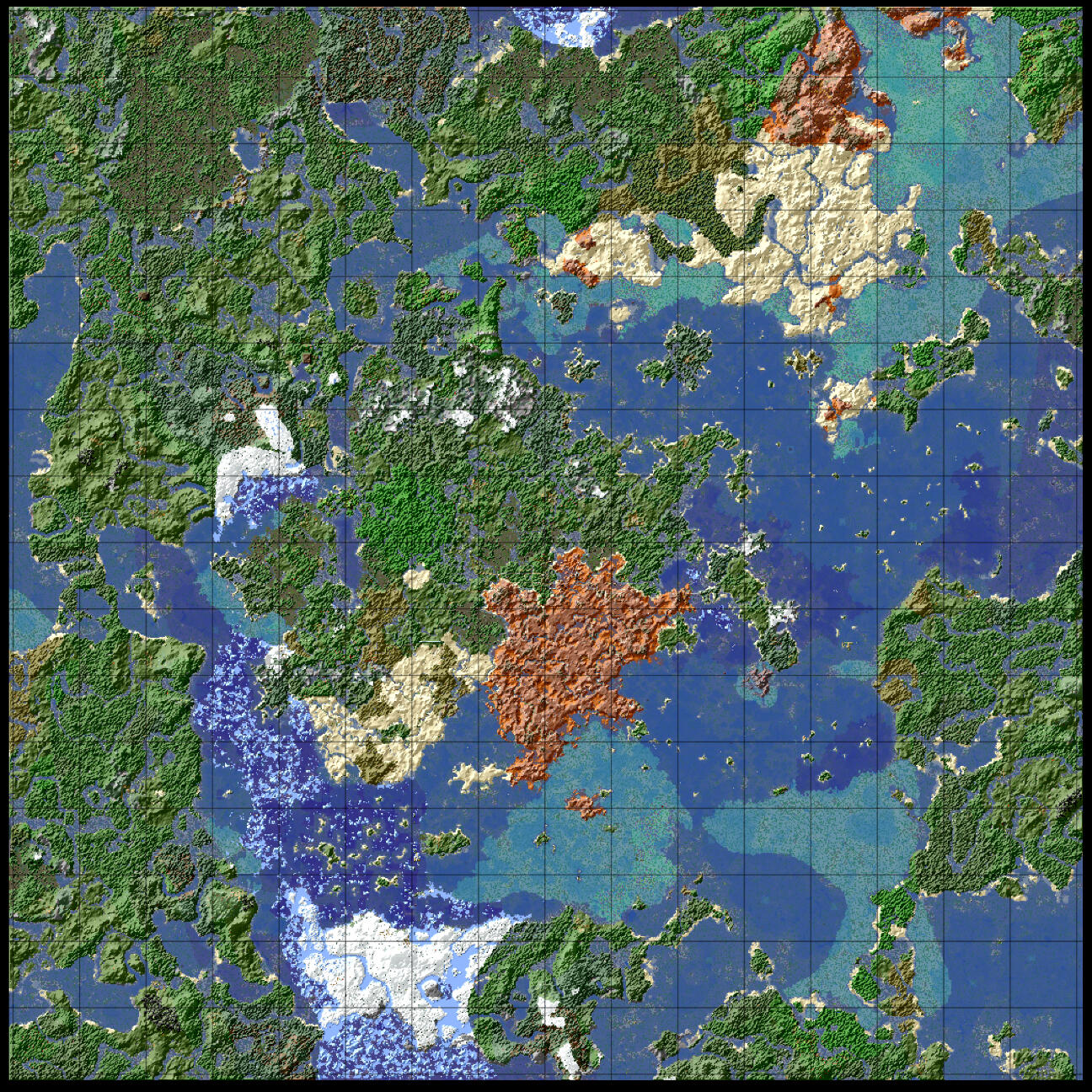
CraftCuber
A private Minecraft server
CraftCuber: About

CraftCuber is a group of private Minecraft Servers that has taken many forms and names during its nearly decade of history.From our beginnings with a 1.7 world hosted on a 2010 13" Macbook Pro running in "Share to LAN" mode, to the current group of 1.20 worlds running on a custom dedicated server cluster, what is now know as CraftCuber has continuously evolved both with our community and with Minecraft itself.
ALL Members: Please read our Code of Conduct page
Members that violate the CraftCuber Code of Conduct will be subject to warnings and bans where deemed appropriate by CraftCuber's Admin Team
New Members: Please see our Membership page
Existing Members: Please see our Connection Info page
CraftCuber: Code of Conduct
Members that violate the CraftCuber Code of Conduct will be subject to warnings and bans where deemed appropriate by CraftCuber's Admin Team
New Members: Please see our Membership page
Existing Members: Please see our Connection Info page
Core Principals
Remember the human.
We ask that all members strive to show empathy towards each other and to focus on having fun with each other in a positive and cooperative manner.Be conscious of the impact of your words.
When communicating over chat or text, your intended tone and the intended connotation of your words can be easily miscommunicated or misunderstood. When talking to someone try to ask yourself "Would saying this over text be read in the right tone and understood in the intended context?" If a miscommunication occurs, avoid being defensive, show empathy to fellow members, and apologize for any unintended connotations where necesscary.Read the Code of Conduct.
Read the Code of Conduct again every once in a while. The Code of Conduct is subject to change over time if the community faces new and unanticipated problems.Report anything you suspect might be a violation of the Code of Conduct.
Suspected violations of the Code of Conduct should be reported directly to the Admin Team via a private message in-game or on Discord.
Personal Conduct
DO NOT attempt to deliberately insult, troll, or personally attack other CraftCuber members.
Harassment of other CraftCuber members may result in temporary or permanent bans from CraftCuber servers.DO NOT harass other CraftCuber members on social media, in real life, or on other game servers.
Harassment of other CraftCuber members on other sites and servers may result in temporary or permanent bans from CraftCuber servers.DO NOT be intentionally rude at all.
By choosing not to be rude, you increase the overall civility of the community and make it better for all of us.DO NOT engage in any illegal activity.
CraftCuber will report any suspected illegal activity to the relevant authorities as a last resort where deemed necessary by the Admin Team
Personal Privacy
CraftCuber takes all reasonable measures to prevent the distribution of any Private Personal Information on any of our servers.Private Personal Information includes: Full Names, Ages, Employer, Religion, Details of Relationships, Addresses, Postal/Zip Codes, Financial Information, Email Addresses, and Passwords. This also includes links to public webpages, social media profiles, or screenshots of webpages where Private Personal Information is still legible. This list can and will be updated by the Admin Team as needed.Private Personal Information does not include: Minecraft Usernames, Discord Usernames, and Nicknames that another member has consented to being called (consent which they can revoke at anytime for conversations moving forward). This list can and will be updated by the Admin Team as needed.DO NOT post anyone's Private Personal Information, including your own, anywhere on any of CraftCuber's servers.
Places that should not contain private personal information includes in-game signs, in-game books, in-game name tags, tools, weapons, or mob names, any of the server chats, any of the Discord channels, or any other means of communication on any CraftCuber Minecraft Server or the CraftCuber Discord.Members found to be posting Private Personal Information may be temporarily or permanently banned pending a review.
Limited exceptions may be granted with the consent of affected members, particularly for cases where a member wishes to name a location in-game using their First or Last name using an in-game sign or other labelling method.If you see a member posting Private Personal Information in a manner that may violate the Code of Conduct, please contact the Admin Team.
In-Game Conduct
DO NOT attempt to steal other players items.
If you accidentally pick up dropped items that do not belong to you, communicate with other members to return the items, or place them in a community lost & found chest. Also avoid taking food, fuel, or other items from other players bases unless a player has specifically indicated that specific items are free to take.DO NOT attempt to modify, destroy, or build in areas you do not own or have permission to work in.DO NOT attempt to cheat, hack, or exploit in-game mechanics.
This excludes non-vanilla features that are enabled on some CraftCuber servers such as bottling XP.
CraftCuber: Connection Info
CraftCuber Minecraft Servers
To join one of our Minecraft servers, you must be a CraftCuber member (see our Membership page for details).For CraftCuber members, to connect to one our Minecraft servers simply enter the desired server URL from the list below in Minecraft Multiplayer
(Ex: survival.craftcuber.ca)
New Members: Please see our Membership page
ALL Members: Please read our Code of Conduct page
CraftCuber currently offers a total of 3 Minecraft Servers of varying gameplay modes and different levels of access for CraftCuber members. Some servers contain sections of previous server worlds and are limited to only the Core Contributors of CraftCuber's members, while others are designed to be partly reset for each new Minecraft update and are open to all new CraftCuber members.

kipsurvival.craftcuber.ca
The KipSurvival server world follows a town-based system, with protected areas and requirements to consult with other players on where and what you build. The KipSurvival world is the direct continuation of the Kipworld2 Survival server that proceeded CraftCuber.
| Aliases: | mc.kipworld.ca, survival.kipworld.ca, survival.craftcuber.ca |
| Gamemode: | Survival |
| PvP: | Disabled |
| Inventory: | Kept on death |
| XP: | Kept on death |
| Build Permissions: | By-Request (Town-based) |
| Grief Protections: | Player Owned Regions |
| Player Access: | Core Contributors, General Members, Admin Team |
| Terrain Generation: | 1.16 around spawn, 1.20 everywhere else |
| Upgrade Plan: | Regeneration of unexplored areas where possible |
| Overworld Border: | 16384x16384 blocks (1024x1024 chunks) |
| Nether Border: | 2048x2048 blocks (128x128 chunks) |
| Ender Border: | 4096x4096 blocks (256x256 chunks) |
kipcreative.craftcuber.ca
The KipCreative server world is a continuation of the previous KipWorld Creative server world, which was the original KipWorld server created by the Core Contributors of CraftCuber. This server was original created in Minecraft 1.15, with the core build area retained and the outer areas reset to all for new terrain generation in Minecraft 1.19
| Aliases: | creative.kipworld.ca, creative.craftcuber.ca |
| Gamemode: | Creative |
| Build Permissions: | By-Request (Town-based) |
| Grief Protections: | Player Owned Regions |
| Player Access: | Core Contributors, General Members, Admin Team |
| Terrain Generation: | 1.15 around spawn, 1.20 everywhere else |
| Upgrade Plan: | Regeneration of unexplored areas where possible |
| Overworld Border: | 8192x8192 blocks (512x512 chunks) |
| Nether Border: | 1024x1024 blocks (64x64 chunks) |
| Ender Border: | 4096x4096 blocks (256x256 chunks) |
bluestone.craftcuber.ca
The Bluestone server world is an read-only archive of the first server world created by the Core Contributors of CraftCuber. Core Contributors have access to connect to the server but all changes to the server are limited to the Admin Team.
| Gamemode: | Spectator |
| Build Permissions: | Admin Team Only |
| Grief Protections: | All modifications disabled (read-only world) |
| Player Access: | Core Contributors & Admin Team only |
| Terrain Generation: | 1.7 - 1.14 |
| Upgrade Plan: | ViaVersion only, Archival Historical Server |
| Overworld Border: | Custom |
| Nether Border: | Custom |
| Ender Border: | Custom |
| Aliases: | server.mastermaze.ca |
CraftCuber: Membership
New players can apply to join CraftCuber as a General Member at this link: join.craftcuber.caMembership applications are subject to approval by CraftCuber's Admin Team. To be considered for membership you generally must know one of the CraftCuber admins personally, or be endorsed by an existing CraftCuber member. Members that violate the CraftCuber Player Code of Conduct will be subject to warnings, penalties, or banned where deemed appropriate by CraftCuber's Admin Team in consultation with the other CraftCuber members.
All CraftCuber Minecraft servers have a set list of players that are allowed to connect to them. This list of allowed players is composed of 3 groups:
The Admin Team
Core Contributors
General Members
All levels of CraftCuber membership are FREE OF CHARGE, however we appreciate any donations members may wish to make towards the costs of running the servers. Members who wish to donate can currently do so by contacting the Admin Team directly.All additions to the Mod Team and Core Contributors are handled on a case by case basis by the Admin Team.
CraftCuber: Maps
This section is still under development, please check back later